

Monday, 10 August, 2026г.
















Где искать: по сайтам Запорожской области, статьи, видео ролики
пример: покупка автомобиля в Запорожье
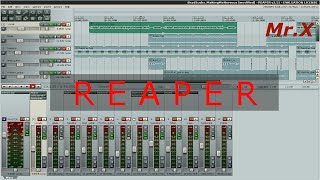
Reaper: Automatically Apply Color to Tracks, Markers & Regions
 У вашего броузера проблема в совместимости с HTML5
Fed up of manually adding color to your tracks, Regions or Markers in Reaper? Then this tutorial is definitely for you.
Learn how to use the SWS Auto Color Tracks / Regions / Markers to apply pre-defined colors or icons to your tracks.
SWS Extentions: http://www.sws-extension.org/
Helping you take your home studio, music creation and mixing to the next level.
New tutorial videos every Friday!
PATREON:
https://www.patreon.com/ReaperTV
If you like what we do on ReaperTV and would like to pledge your support, we have a Patreon account where you can give as little as $1 a month.
==== My Recommended Gear ====
Roland Quad Capture: http://amzn.to/2p75Y4k
Toontrack EZ Drummer 2: http://amzn.to/2p6Ygav
Toontrack Superior Drummer 2.0: http://amzn.to/2p71WZD
Tannoy 802: http://amzn.to/2pr7wJk
SUBSCRIBE
-- https://www.youtube.com/channel/UCMUHt6JzCMsdtvkaJpU3KXw
LETS CONNECT:
-- http://twitter.com/_ReaperTV
-- https://www.facebook.com/reaperteev
-- https://www.google.com/+ReapertvUk
WEBSITE: Our website offers additional information and perks. Please check it out!
-- http://reapertv.co.uk
USEFUL LINKS
- Reaper - http://www.reaper.fm/
Теги:
Reaper DAW Home Recording Studio Mixing Mastering PsmegTV ReaperTV SWS Extension Auto Color in reaper Track Colours in Reaper track colors in reaper add icons to tracks in reaper
Похожие видео



Мой аккаунт