

Monday, 24 August, 2026г.
















Где искать: по сайтам Запорожской области, статьи, видео ролики
пример: покупка автомобиля в Запорожье
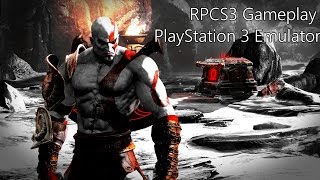
RPCS3 V0.0.6 play god of war3 || god of war 3 working in low end pc || how to fix black screen fix
 У вашего броузера проблема в совместимости с HTML5
RPCS3 0.0.6- 7959 PLAY GOD OF WAR 3 2019 TEST IN LOW END PC
RPCS3 play god of war3 is this playable in low end pc or laptops in 2019 new version
hello guys i back again with another video of rpcs3 god of war 3 play in low end pc and surprisingly working. Sometimes
we see black screen dont worry follow my steps in this video. My pc graphics is not so high but working.
This rpcs3 version is vulkan 0.0.6- 7959 new version and my previous video is lagging too much and graphics and colours
are dull but now rpcs3 have lot of improvements.
rpcs3 god of war 3, rpcs3 god of war 3 download, rpcs3 god of war 3 system requirements, rpcs3 god of war 3 low fps, rpcs3 god of war 3, rpcs3 god of war 3 playable, rpcs3 god of war 3 black screen, rpcs3 god of war 3 settings, rpcs3 god of war 3 gtx 1050 ti, rpcs3 god of war 3 i5, rpcs3 god of war 3 gt 1030, rpcs3 god of war 3 gameplay, rpcs3 god of war 3 low fps, rpcs3 god of war 3 reddit, rpcs3 god of war 3 fatal error, rpcs3 god of war 3, rpcs3 god of war 3 settings
PLEASE LIKE SHARE AND SUBSCRIBE TO MY CHANNEL
MY CHANNEL NAME IS MEGA INFINITY GAMER
https://youtu.be/fLauV4xY_qg
YOUTUBE CHANNEL LINK
https://www.youtube.com/channel/UCMrYDsL7i1d8aIv6pfwqGLg
RPCS3 DOWNLOAD LINK
https://rpcs3.net/
https://youtu.be/YxWtIorn-1Y
PS3 Firmware:
https://www.playstation.com/en-us/sup...
Download WinRar to extract Rar files:
https://www.rarlab.com/download.htm
Download RPCS3 Custom Emulator Build:
https://mega.nz/#!rExDDSLQ!OLDcCxC8gH...
system spec;
My laptop is hp ay008tx
Operating System: Windows 10 Pro 64-bit (10.0, Build 10240) (10240.th1.170602-2340)
Language: English (Regional Setting: English)
System Manufacturer: HP
System Model: HP Notebook
BIOS: InsydeH2O Version 05.05.39F.09
Processor: Intel(R) Core(TM) i5-6200U CPU @ 2.30GHz (4 CPUs), ~2.4GHz
Memory: 8192MB RAM
Available OS Memory: 8084MB RAM
Page File: 3142MB used, 6220MB available
Windows Dir: C:\WINDOWS
DirectX Version: 12
DX Setup Parameters: Not found
User DPI Setting: Using System DPI
System DPI Setting: 96 DPI (100 percent)
DWM DPI Scaling: Disabled
Miracast: Available, with HDCP
Microsoft Graphics Hybrid: Supported
DxDiag Version: 10.00.10240.16384 64bit Unicode
------------
DxDiag Notes
------------
Display Tab 1: No problems found.
Display Tab 2: No problems found.
Sound Tab 1: No problems found.
Input Tab: No problems found.
--------------------
DirectX Debug Levels
-------------------
---------------
Display Devices
---------------
Card name: Intel(R) HD Graphics 520
Manufacturer: Intel Corporation
Chip type: Intel(R) HD Graphics Family
DAC type: Internal
Device Type: Full Device
Display Memory: 4169 MB
Dedicated Memory: 128 MB
Shared Memory: 4041 MB
Current Mode: 1366 x 768 (32 bit) (60Hz)
Monitor Name: Generic PnP Monitor
Monitor Model: unknown
Monitor Id: CMN15C
D3D9 Overlay: Supported
DXVA-HD: Supported
DDraw Status: Enabled
D3D Status: Enabled
AGP Status: Enabled
Card name: AMD Radeon (TM) R5 M330
Manufacturer: Advanced Micro Devices, Inc.
Chip type: AMD Radeon Graphics Processor (0x6660)
DAC type: Internal DAC(400MHz)
Device Type: Render-Only Device
Device Key: Enum\PCI\VEN_1002&DEV_6660&SUBSYS_81EC103C&REV_83
Display Memory: 6081 MB
Dedicated Memory: 2039 MB
Shared Memory: 4041 MB
Current Mode: n/a
DirectInput Devices
-------------------
Device Name: Mouse
Attached: 1
Controller ID: n/a
Vendor/Product ID: n/a
FF Driver: n/a
Device Name: Keyboard
Attached: 1
Controller ID: n/a
Vendor/Product ID: n/a
FF Driver: n/a
Device Name: HP Wireless Button Driver
Attached: 1
Controller ID: 0x0
Vendor/Product ID: 0x0001, 0x0001
FF Driver: n/a
Poll w/ Interrupt: No
-----------
USB Devices
-----------
----------------
Gameport Devices
----------------
*CPU Settings*
PPU Decoder: LLVM Recompiler
SPU Decoder: LLVM Recompiler
Preferred SPU Threads: 6
Firmware Settings: Automatically load required libraries
Additional Settings:
-Enable Thread Scheduler
-Enable Loop Detection
-SPU Cache
SPU Block Size: Safe
TSX Instructions: Enable
Default Internal Resolution: 1920x1080
*GPU Settings*
Resolution Scale: 150% (1920 x 1080)
Resolution Scale Threshold: 16x16 (Default)
THANKS FOR WATCHING PLEASE DONT FORGET TO SUBSCRIBE\\
Теги:
rpcs3 god of war 3 rpcs3 god of war 3 download rpcs3 god of war 3 system requirements rpcs3 god of war 3 low fps rpcs3 god of war 3 playable rpcs3 god of war 3 black screen rpcs3 god of war 3 settings rpcs3 god of war 3 gtx 1050 ti rpcs3 god of war 3 i5 rpcs3 god of war 3 gameplay rpcs3 god of war 3 reddit
Похожие видео

![[PS3 Emulator] RPCS3 | The Last of Us Test 2 | i7-7800x 2080TI](/images/mq/3/43/a6rhj5w4aoLZv4.jpg)

Мой аккаунт