

Sunday, 21 June, 2026г.
















Где искать: по сайтам Запорожской области, статьи, видео ролики
пример: покупка автомобиля в Запорожье
Screensaver not starting? Fix it with the "powercfg" command.
 У вашего броузера проблема в совместимости с HTML5
YOU "NONE/NONE" GUYS NEED TO CLICK "SHOW MORE" AND READ THIS ENTIRE DESCRIPTION!
Starting at 1:42, this video explains the proper "powercfg" syntax necessary to get your screensaver to kick in when it's supposed to if some process is interfering with it.
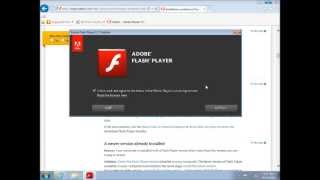
In my particular situation, the Adobe Flash Player plugin executable was preventing my system from starting the screensaver.
HOWEVER, If you get "none/none" after executing "powercfg -requests", then type "msconfig" into the "run" box (WIN KEY+R) and put your system into "diagnostic startup" and restart your pc. see if your screensaver kicks in that way. "diagnostic startup" disables programs and services that the system invokes after startup,
if your screensaver kicks in at the expected time when you're in diagnostic mode, that means one of the disabled programs is likely the culprit. unfortunately, this is a tedious way to isolate the problem because you may have disabled near 100 programs and now have to re-enable them one by one and restart after each enable. but, at least it may be a good step in narrowing it down.
Теги:
Windows POWERCFG requests requestsoverride adobe flash player flash player flash screensaver screen saver Tutorial windows 7 Adobe Flash (Software) fix fixed solved solve sleep sleep mode
Похожие видео



Мой аккаунт