

Saturday, 22 August, 2026г.
















Где искать: по сайтам Запорожской области, статьи, видео ролики
пример: покупка автомобиля в Запорожье
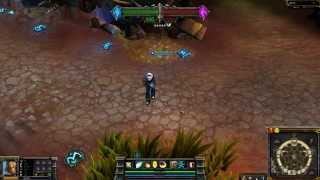
Siv HD Charity Ezreal Skin - League of Legends
 У вашего броузера проблема в совместимости с HTML5
This is Charity Ezreal *Siv HD* !! Thanks for the support Download link is http://mobaskins.com/sivhd/ have a great day
Donate if you like my work https://paypal.me/CCP7
---------Skin was a team work to bring into League of Legends ------------
Here are the Awesome people who made it possible
https://www.facebook.com/GoditSuka
https://www.facebook.com/wugdouGG
https://www.facebook.com/FONEYOYOYO
And i Done the Paint weight,Rig,Animate it to work in the League Client
will be Ready later today
Play this Game for here http://bit.ly/PlayLoL4Freee
Like us on facebook http://bit.ly/Demgamiez
subscribe to me on Facebook or add me
http://bit.ly/PersonalFacebookpage
How to download it and how to Make it work for your League client
Well i would recommend install it with Skin install ultimate to get everything install correctly
Software's to use to Get Skin
Option 1 :
Ok so download the shiet and then put it in your C:\Riot Games\YourLoLfolder\RADS\solutions\lol_game_client_sln\releases\0.0.1.227\deploy
put the ClientZip.txt and ezreal and GG izi :)
Thanks for Watching :) took 36 hours to make on 7/7 2018 and completed on 7/9 2018
Donate if you like my shiet ;)
paypal.me/CCp7 or paypay(dot)me/CCp7
If you still Confused how to install then go here QQ
https://wadskins.wixsite.com/index/forum/champions/new-way-to-make-custom-skins-work
Option 2
Skin install Ultimate
That is to Install the Skin so Just Drag and Drop and it will install the Skin for you
And Install files i set it to that so you don't need to worry about anything
Q: Is the Skin Legal to use in League of legends
A: The Answer is yes it is that why he took hours of my life to create a skin for the community
Just in case you still clueless how to Install the Skin Here is Installation Tutorial
Step 1: If you have not already done so, download and extract SIU (https://sites.google.com/site/siuupdates/) into a directory of your choice to install it.
Step 2: Open SIU, let the progress bar at the bottom complete while it scans your league of legends directory to find out where each file goes.
Step 3: Download the skin we made from... and save it someplace you will remember. (you can delete it once you hand it over to SIU)
Step 4: In the "Add New Skin" tab of SIU (from step 2), click "Add Files" and then direct it to the zip file you downloaded (Step 3). Either Follow the prompts, or click the "Add to database" button.
Step 5: Either Follow the prompts, or go to the "Install Existing Skin" tab of SIU, check the skin, then click the "install" button bellow. The defaults for the next prompts are fine, unless you want to see the text as well (in which case turn on the check box for menu mods) Wait for the completion box, and then start a LoL custom game to test.
Thanks for you Time community have a Great day
Теги:
league of legends riot games tutorial riot lol action game action role-playing game ipawnproznetwork league of legends gameplay let's play league of legends siv hd charity ezreal skin gaming item build build let's play melee moba pvp video game walkthrough masteries snare abilities champ lore elo skins full hd 1080p siv hd charity crowd control install existing skin multiplayer video game play garena skill sequence skin intro strategy video game Siv HD
Похожие видео



Мой аккаунт