

Thursday, 04 June, 2026г.
















Где искать: по сайтам Запорожской области, статьи, видео ролики
пример: покупка автомобиля в Запорожье
SOLVED: Change Fonts in Windows 10 and 8.1
 У вашего броузера проблема в совместимости с HTML5
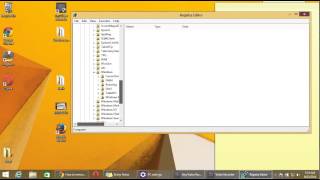
Video made for Windows 8.1 (works in Windows 10)! This is the very tedious process of using the Registry Editor and Binary code to do what was easy in every other version of Windows. DISCLAIMERS: 1) Access regedit following the video instructions at your own risk! 2) IconFont.exe is NOT a virus, malware, adware, etc, and no installation is necessary, HOWEVER it has come to my attention that recently Windows Defender in Windows 10 has started detecting it as a "trojan" due to the fact that it's an *.exe file that changes registry values. I use best-in-class Bitdefender anti-virus and I assure you it's 100% safe. I would never make a video telling people to download viruses. If Google Chrome or other browsers flag the file as a virus and block the download due to Windows Defender, there are workarounds. IconFont.exe download: https://docs.google.com/file/d/0Bxj5NEo7I3z9a1N1c2h0R2JvSUE/ Hope this helps some people out! change windows fonts 8.1 windows 10 windows 8 font changer change default font segoe ui regedit registry editor choose your own font windows 7 binary variable hkey_localuser desktop customize windows typeface fonts ui font gui software microsoft ms gothic
Теги:
Microsoft Windows (Operating System) Windows 8 (Operating System) Windows 8.1 (Operating System) Typeface (File Format Genre) Software (Industry) Tutorial (Media Genre) change fonts font font changer
Похожие видео
![[Видео урок] Как узнать свой Windows](/images/mq/a/3a/55aQ2tq83cx-B5.jpg)
Мой аккаунт