

Friday, 26 June, 2026г.
















Где искать: по сайтам Запорожской области, статьи, видео ролики
пример: покупка автомобиля в Запорожье
Sony Vegas Error when starting FIX 2019 (ONLY 3 STEPS)
 У вашего броузера проблема в совместимости с HTML5
Link to DDU:
https://www.guru3d.com/files-details/display-driver-uninstaller-download.html
Link to Sony Vegas:
https://amzn.to/2ESLEvY
This video describes one opportunity to fix your Sony Vegas Pro 16 from crashing, when you want to launch it.
If your error indicates, that some driver is interfering, this might be a solution for you. Please note, that the error may have different sources.
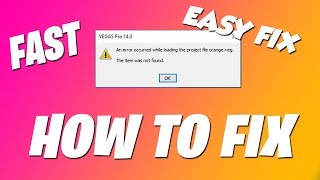
Mine looked like this:
Crashlog:
Problem Description
Application Name: VEGAS Pro
Application Version: Version 14.0 (Build 270) 64-bit
Problem: Unmanaged Exception (0xc0000005)
Fault Module: C:\WINDOWS\System32\DriverStore\FileRepository\igdlh64.inf_amd64_250db833a1cd577e\igdrclneo64.dll
Fault Address: 0x00007FFF0E4A0819
Fault Offset: 0x0000000000030819
Fault Process Details
Process Path: C:\Program Files\VEGAS\VEGAS Pro 14.0\vegas140.exe
Process Version: Version 14.0 (Build 270) 64-bit
Process Description: VEGAS Pro
Process Image Date: 2017-06-12 (Mon Jun 12) 22:05:46
It happened with Nvidia GPU and Intel onboard on a laptop. I tried everything, but this was the only fix for me.
Music: https://www.bensound.com
Похожие видео


Мой аккаунт