

Thursday, 04 June, 2026г.
















Где искать: по сайтам Запорожской области, статьи, видео ролики
пример: покупка автомобиля в Запорожье
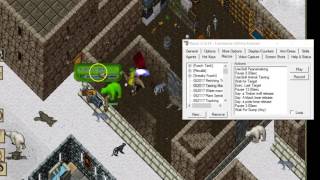
Ultima Online: COMPREHENSIVE Razor Tutorial (and More!)
 У вашего броузера проблема в совместимости с HTML5
==================== INDEX ==================== 0:41 About the UO Client 2:50 Finding Razor Files (important for copying macros), note that %appdata%{Enter} in Windows Explorer can get you there too generally 5:50 Macro File contents (just FYI) 6:23 ***IMPORTANT*** Razor Windows 7 / 8 Freezing Problem and Solution 10:36 ***IMPORTANT*** UO Options (Alt O) Settings -e.g. Turn off Pathfinding, filtering offensive players, and other important features 18:35 ***VERY IMPORTANT*** first steps in Razor MAKE SURE TO APPLY THIS! -e.g. TURN OFF the "Reduce CPU Usage" option!!! ========= Tips for faster looting ========= 29:26 Auto open corpses 30:57 Opening Containers on Same Spot 32:08 Shift-Drag for Stacks 1:12:20 Drop What You Are Currently Holding Hotkey (Save yourself from Carpal Tunnel!) ========= General Tab ========= 25:10 General 32:56 UO Razor Map ========= Options Tab ========= 26:00 Options 34:18 Override Spell Hues 35:20 Spell Formatting ========= More Options Tab ========= 37:28 More Options ***IMPORTANT*** OBJECT DELAY SHOULD BE ~600ms FOR BEST RESULTS (54:20 for example) 44:40 MAKE YOUR SCREEN BIGGER (see more!)--Be sure to have the UO Option (Alt O) set to 800 x 600 for "Game Play Window Size) ========= Display / Counters Tab ========= 45:44 (This is very useful to track reagents, bandage timer, etc.) TIP: You can get the hue # of an item using the new ========= Arm / Dress Tab ========= 52:18 Arm / Dress Tab 54:48 Skills Tab (skill point LIMIT) ========= Hotkeys Tab ========= 59:07 Hotkeys Tab ***VERY VERY IMPORTANT*** 1:05:39 Using Potions using '[drink' commands instead of Relying on Razor's version (easier) *** IMPORTANT *** 1:07:37 First sample macro (and Hotkeys) 1:15:45 ***IMPORTANT*** Resynchronize Client 1:19:54 Skill Use Hotkeys 1:20:46 Spell Hotkeys 1:22:28 ***IMPORTANT*** Getting out of being Paralyzed 1:23:35 Creating a "vendor buy" / "Guards" macro (and assigning to hotkey) 1:25:59 Target Hotkeys ***IMPORTANT *** 1:29:19 BE CAREFUL OF WHICH ULTIMA ONLINE CLIENT YOU CLOSE LAST if you have made changes to Razor ========= Macros Tab ========= 1:33:05 Macros ***IMPORTANT (you should probably watch this whole section!) -1:45:50 Conditionals using your custom counters -1:48:51 Drop to Relative Location -1:50:24 Absolute Target vs. Target By Type -1:51:12 Teleport using Relative Location -1:53:51 Simplify Harvesting with Relative Target -1:55:05 Target by Type -1:57:08 Double Click by Type -2:11:09 Using Restock Agent for Training Magery / Resist Safely -1:58:29 Beware of Movement in Razor macros (desync'ing issue lasts until client restart) ========= Agents Tab ========= 2:02:40 Scavenger Agent 2:04:03 Scavenger Agent Issue Problem with Platinum 2:05:21 Restock Agents ***IMPORTANT -Make sure you have your More Options-- Object Delay set correctly (~600ms)! 2:11:09 Restock For Training Magery and Resist (Save yourself from losing reagents!) 2:17:15 Use Once Agent ========= ESPECIALLY FOR NEW PLAYERS ========= 15:00 Death/Resurrection/Criminals & Innocents ***IMPORTANT*** DO NOT LOOT BLUE-NAMED CORPSES IN TOWN! YOU WILL LIKELY GET GUARD-WHACKED! 1:24:17 Calling Guards 54:48 Understanding Skills and the "Real" Skill Point Maximum (700) 1:05:41, 2:19:47 UOForever's [drink, [pouch, [doubleclick, [gettype, [servertime helper commands 40:40 Creating a party (If not in a party, monsters killed by your friends will make you criminal if you loot them!). Use the '/' key to party chat 41:00 Guild chat/emoting/yelling/whispering 1:55:28 How to renounce your young player status early 2:13:15 Getting More Bandages to Heal Yourself 34:43 Opening your Spellbook (Alt B) and getting spells-Drag scrolls to spellbook ========= OTHER TIPS ========= 19:29 Using a different client version than the "official" UO Forever version (e.g. the latest EA client) **** I Don't Mention it in the video, in Hotkeys +Macros, The "Stop Current Macro" is a VERY important hotkey to have set! (I set it to the Escape Key) so you can stop a macro at a moments notice! ****
Похожие видео
Мой аккаунт