

Saturday, 08 August, 2026г.
















Где искать: по сайтам Запорожской области, статьи, видео ролики
пример: покупка автомобиля в Запорожье
Unbrick / Desbrickear / Resucitar Leeco Le2 X620 (Led Rojo)
 У вашего броузера проблема в совместимости с HTML5
Tutorial para resucitar el Leeco Le2 X620 cuando pro algun error de flasheo el telfono no hace nada, solo se enciende el led rojo al conectarlo al cargador.
Archvios necesarios: https://mega.nz/#F!4QklRYhJ
Clave descifrado Yn-40jwagfDLxOJNHl5DBg
Txt en Español https://mega.nz/#!dccVyCzD!agl7joxjdh2sRRizaPOzboMvA3Vepp4hC4zHvkPqMzs
Unbricking guide for LOCKED bootloader phones (and even unlocked)
Download the complete file from https://yadi.sk/d/t1TP7dIhur9bq and recovery and extract all.
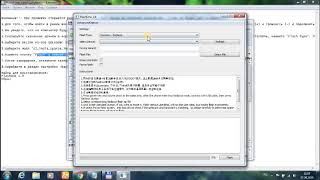
1) First launch flashtool as administrator in 5.1612s folder, on Download-Agent choose a file DRIVE: \ (folder name) \ 5.1612.s \ secureboot \ DA_PL.bin (or DA_PLHIGH if not works) in choose Scatter-loading drive: \ (folder name) \ HEXCNFN5601304221S \ MT6797_Android_scatter.txt (if not selected), press Ctrl + Alt + S, to select a disc Authentification File: \ (folder name) \ 5.1612.s \ secureboot \ auth_sv5_letv.auth.
2) press ctrl+alt+v for advanced mode, then window and write memory. Select the recovery https://drive.google.com/file/d/0B1leCTIiFBYjQi15cjJ1dzNwbFE/view?usp=docslist_api in file patch then write 0x8000 in begin address then check file and address and press write memory, and connect shutdown phone.
3) do the same thing in point 1 but change download agent with DA_BR.bin. now select all and press download. When connect shutdown phone Must holding volume +. If show an error try all voice without boot and recovery and then flash boot and recovery individually another time.(try 2/3 times even with a error will work if flash boot)
4) reboot the phone (it works ;) ) then go to setting, build tap it 10 times then give permission for OEM unlocking and USB debuugging in Developer options.Switch off.
boot into FastBoot (power button and the volume down (-)) and connect to a computer.
Unlock the bootloader in the folder RECOVERY-TWRP-14s run adb_cmd.exe and to register (or paste) fastboot oem unlock and press Enter.
Then, flash TWRP recovery, in the same console to register (or paste) fastboot flash recovery recovery_twrp.img and press Enter.
Turning off from the company for a long time until we press the power turns off.
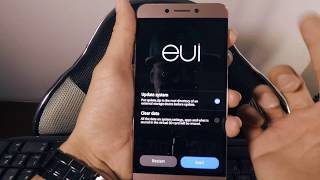
Hold the volume up (+) and power supply. We fall into chinese TWRP RECOVERY.
Than flash what you want
Gracias, espero les ayude.
Похожие видео


Мой аккаунт