

Monday, 17 August, 2026г.
















Где искать: по сайтам Запорожской области, статьи, видео ролики
пример: покупка автомобиля в Запорожье
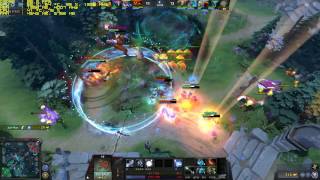
DOTA 2 UPDATE 7.00 | ULTRA | 200+ FPS | GTX 1060 + 6700K 4.5GHZ | WTF+ MODE 5v5
 У вашего броузера проблема в совместимости с HTML5
Please subscribe, guys! It really makes a difference for me. :)
Just a performance test after OCing ram a bit. All settings Ultra 1920x1080.
A few tweaks you can try if you're having low fps problems with similar specs to what I've listed below:
- Make sure you have installed your motherboard chipset drivers from their webpage along with upto-date GPU drivers.
- Set Nvidia Control Panel- Manage 3D settings- Program Settings - Dota2.exe - Set power management to "maximum performance", disable any vsync settings in control panel & in game.
- Go to your dota 2 folder in steam/steamapps/common/dota 2 beta/Game/dota/cfg folder.
- Open Notepad & save a file as autoexec, change the .txt extension to .cfg; & save as "all files".
Add these lines to autoexec.cfg:
fps_max "0" //removes FPS cap
m_customaccel "0" //Removes mouse acceleration
engine_no_focus_sleep "0" //Prevents crashes & low fps if alt+tab
--------------
- Right click on Dota in Steam/Properties/Set launch options & add: +exec autoexec -console -novid -high
After those changes your framerate will be unlocked & your GPU Utilization should run higher provided your CPU or memory aren't a bottleneck. Ofcourse this is only a benefit if you are running a 144hz+ monitor.
Also make sure gameDVR is disabled if you are running windows 10, there are guides in google search on disabling it through the registry.
--
System Specs:
[email protected] 1.32v /w Deepcool Maelstrom 240T
PALIT GTX 1060 6gb Super Jetstream
2x8gb 3100mhz DDR4 G.Skill Ripjaws V [email protected]
MSI Z170A Gaming Pro Motherboard
Seasonic Platinum 660XP 660W
2x Sandisk Ultra II 960gb Raid 1(OS+Games+Media)
2x Transcend 256gb SSD370S Raid 1(Recording)
Windows 10 x64
Peripherals:
LG 24GM77 144hz Gaming Monitor
Kingston HyperX Cloud Revolver headset
Logitech G502 Mouse
Thermaltake Poseidon Z RGB Brown Switch Keyboard
--
Теги:
DOTA 2 UPDATE 7.00 PATCH 7.00 DOTA 2 7.00 FPS TEST PERFORMANCE TEST CPU USAGE FPS FRAMERATE GTX 1060 6700k GAMEPLAY WTF+ MODE WTF+ DOTA 2 WTF+ MODE GTX 1060
Похожие видео

Мой аккаунт