

Saturday, 08 August, 2026г.
















Где искать: по сайтам Запорожской области, статьи, видео ролики
пример: покупка автомобиля в Запорожье
K 1 plus s2 T2 new menu. الموني الجديد للجهاز
 У вашего броузера проблема в совместимости с HTML5
firmware: https://yadi.sk/d/mtjvII_1tk24R
how;
1. Download the zip file and unzip it, there will be 4 files.
2. Copy these 4 files directly into U Pendrive(have to be at least 4GB or above, and genuine U drive,format the u pendrive first,
and do not put these 4 files into folder)
3. Power off the box, and insert the U drive into box's USB port.
4. Power on the box, press Buttton 3 on the IR remote at once, and keep clicking Button 3 around 40 seconds. the box will be into upgrading guide automatically.
then stop clicking Button 3.
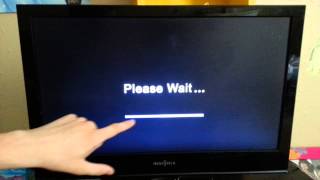
5. When upgrading bar 100% finished. the box will automatically reboot. and rebooting will take around 4-5 minutes. Now upgrading finish
Firmware a été faite sur la base du firmware de l' usine de 06/06/2016.
Les travaux sur la version 2 de bogues.
clés restaurées sur Moodle - Applications
Supprimé Kodi, qui pré-installer la version chinoise du jeu installé Marketa
Maintenant, il y a un choix de firmware run - lanceur, DVB-T2, DVB-S2 / DVB-T2 / La première fois que vous demandez que l'exécution par défaut. Modifiez ensuite commencer: appuyez sur le bouton Apps sur Moodle, lancer les Paramètres - Écran d'accueil, activez le bouton de la souris Moodle et choisissez le curseur qui fonctionnent au démarrage
Liste des favoris sous le nouveau format 36 NTV + satellite
fédéral
film
enfant
apprentissage
musique
sport
Теги:
YouTube Capture
Похожие видео
Мой аккаунт