

Monday, 03 August, 2026г.
















Где искать: по сайтам Запорожской области, статьи, видео ролики
пример: покупка автомобиля в Запорожье
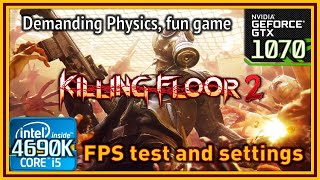
Killing Floor 2 - I5 4690K & GTX 770 - FPS test and optimal settings
 У вашего броузера проблема в совместимости с HTML5
Greetings, everyone.
We’re testing out Killing Floor 2 this time, since it’s also free to try just for this first weekend of September. As you may know, the game from Tripwire Interactive is currently in Steam Early Access, and it’s built on a heavily modified Unreal Engine 3, with some nice features added like Nvidia Flex technology for gibs and fluids (blood and other stuff), which makes killing monsters quite the pleasant experience.
As usual, my current PC specs are as follows:
-CPU: i5 [email protected] GHz (Turbo).
-Mobo: Asus Maximus VII Ranger.
-GPU: Asus GTX 770 DirectCU II OC 2 GB with no extra OC.
-RAM: 16 GB DDR3@1866, 9-10-9-28.
-Storage: Kingston SSDNow 300, 240 GB where both game and O.S. are installed.
-O.S: Windows 7 Ultimate SP1 64bit with latest updates.
-Ingame resolution: 1080p, recorded @60 FPS using Shadowplay.
Firstly, I run the game at the default settings configured when I first launched it, which was on “high”. Those settings make the game run usually at more than 80-90 FPS most of the time and as we can see in the video, the most FPS intensive setting is the Realtime Reflections one, so if we need some extra juice to get close to 120 FPS (in case we want to game at 120 Hz) we can do so by disabling that. I also use the Nvidia Flex for gibs only, which the game itself tells us it works best on a 770 at the very minimum. The Gibs and fluids setting recommends a 980, so I didn’t test that in the video but I can tell you it makes my FPS drop to the 40’s sometimes when many monsters die on screen at the same time.
Then, we use the Geforce Experience recommended settings, which for me most part are Ultra settings, with no motion blur. Those settings keep the frame rate at 60 and a bit higher most of the time, so they’re playable settings and the game looks very nice. If you’re playing on a 60 Hz monitor I’d rather use the optimized Geforce Experience settings, because the close you keep to 60 FPS the smoother the game will feel, on a 60 Hz screen, of course. Also, In this case, it’s advised to not use the “Variable Framerate” setting, because in this case the game will keep itself running at 60-62 FPS and it will be smoother than having 60-70 FPS.
Lastly I try the lowest possible settings, and run the game at 144 FPS with vsync on. Certainly this is also very smooth, but vsync adds some input lag, so keep that in mind. If you prefer very high FPS for shooters, setting the game on low, or a mix of low and medium, will get you to these higher framerate in case you have a120-144 Hz screen and you want the game to keep that high frame rate at all times.
In any case, even though the game is still in early access, it runs very well on my system and if you liked the first Killing Floor, this one is an incredible graphical upgrade and plays really well.
Hope you liked this video, and see you in the next one : )
Теги:
Killing Floor 2 First-person Shooter (Media Genre) Shooter Game (Media Genre) FPS Frames per second Frame rate Settings Testing Nvidia GTX 770 Geforce intel core i5 4690K Tripwire Interactive (Video Game Developer) Unreal Engine (Video Game Engine Family) Steam Early Access
Похожие видео



Мой аккаунт